Make Your 808s Hit and Translate on Any System!
Updated: Apr 24
MAKE YOUR 808S HIT AND TRANSLATE ON ANY SYSTEM — STEP‑BY‑STEP IN FL STUDIO (STOCK PLUGINS)
Not all 808s are created equal. If you want beats that stand out, this tutorial uses only FL Studio stock plugins to make 808s punchy, clear, and audible everywhere.
STEP 1 CHOOSE THE RIGHT 808 SAMPLE
Pick a clean sine/sub 808
plus one with harmonic
content (distorted/saturated)for layering.
Load each into Sampler (Channel Rack).

STEP 2 TUNE THE 808 TO YOUR TRACK KEY
Use the Piano roll: place a note at the root, open the 808
Sampler channel, click the waveform, then use the Pitch knob(or the Channel Settings root key) to match pitch by ear or use a tuner.
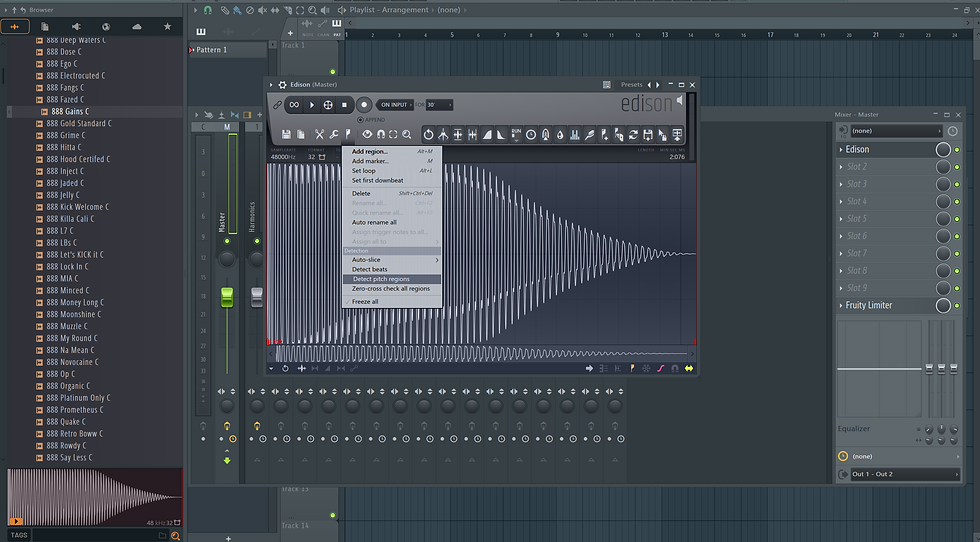
Alternate: use Edison — record the 808, then Tools → Detect pitch regions to confirm the fundamental.
STEP 3 CLEAN UP UNNECESSARY LOWS ON NON‑SUB LAYERS
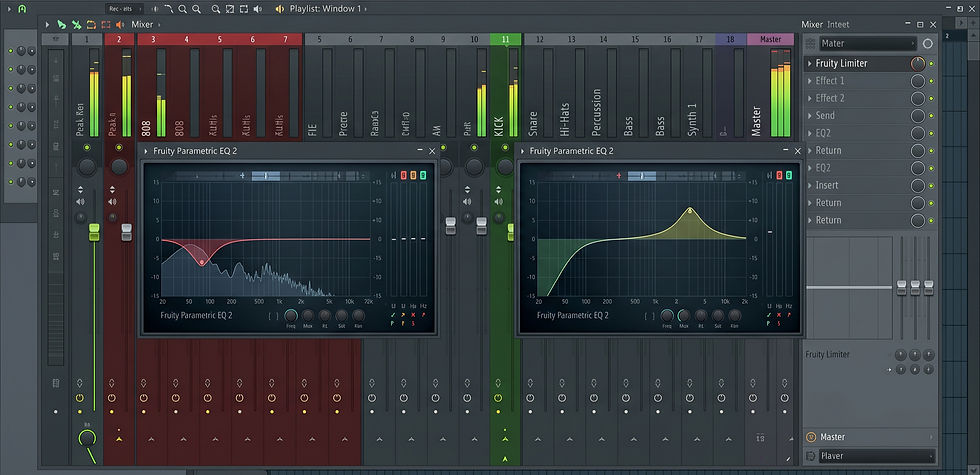
On the harmonics layer: add Fruity Parametric EQ 2 → high‑ pass at ~40–60 Hz (slope 12–24 dB/oct) to remove sub rumble so the harmonics sit above the sub.
Leave the pure sub unfiltered.

STEP 4 SHAPE THE TRANSIENT AND LENGTH
To retain punch, shorten the harmonics layer’s sustain: add Fruity Love Philter (or use Envelope in Channel Settings)to shape amplitude so attack is present but tail is controlled.
For the sub, use Channel Settings’ Envelope: reduce release so notes don’t ring overly long; match release to BPM and
groove.

STEP 5 CREATE SEPARATION BETWEEN KICK AND 808
Route kick and 808 channels to separate mixer tracks. On the808 mixer track add Fruity Balance (for gain) then Fruity
Parametric EQ 2 to carve space.
Use a narrow cut around 50100 Hz on the 808 or kick
depending which one needs presence; boost the kick transient(24 kHz) lightly on the kick track to emphasize attack.
STEP 6 ADD HARMONIC CONTENT FOR SMALL SPEAKER TRANSLATION
On the harmonics layer: add Fruity Fast Dist (drive ~10–30%), then Fruity Parametric EQ 2 to tame harshness.
Distortion generates harmonics that make bass audible on
phones.
Alternatively use Fruity Wave Shaper with a gentle curve
for musical saturation.

STEP 7 PARALLEL PROCESSING FOR POWER WITHOUT LOSING DYNAMIC
Send 808 to a bus: on the 808 mixer track, set Send to a
new bus track. On the bus, add Fruity Compressor (or Fruity
Limiter set to compression) with medium attack and medium
release and a ratio ~4:1, then mix the send to taste for
added punch.

STEP 8 MULTIBAND CONTROL FOR TRANSLATION
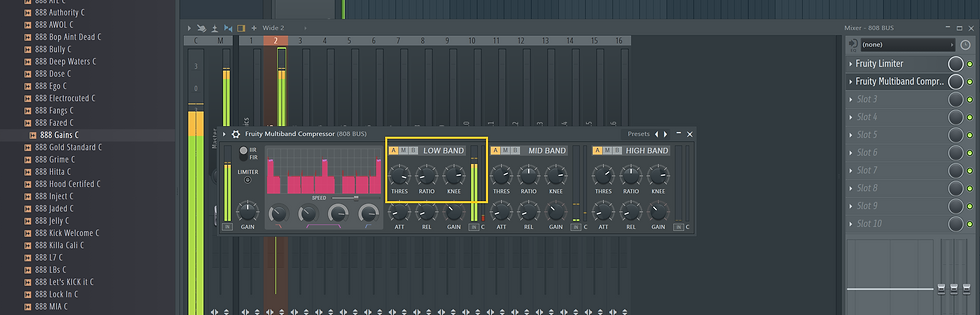
Use Fruity Multiband Compressor: tighten low band dynamics
subtly (low threshold, gentle ratio) to keep sub consistent across playback systems, while leaving mids for harmonics.
STEP 9 STEREO IMAGE: KEEP SUBS MONO
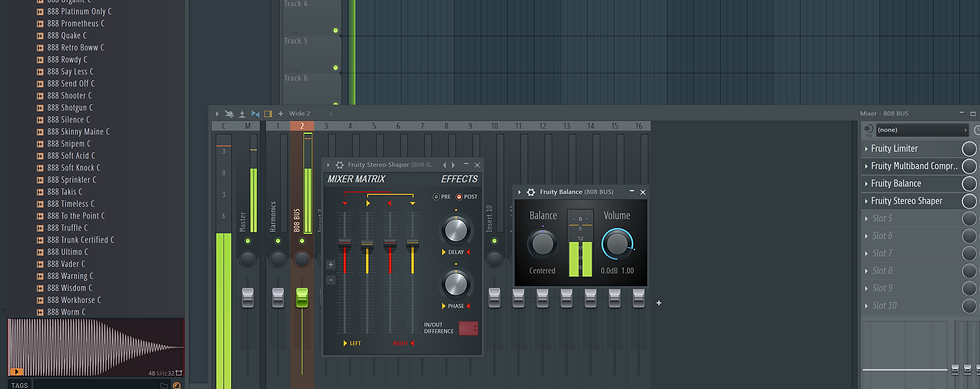
On the 808 mixer track insert Fruity Stereo Shaper or use
Fruity Balance: keep frequencies below ~120 Hz centered
(use a mono bass technique — low band only on the sub
layer). Widen only higher harmonic layer with Stereo Shaper or Fruity Stereo Enhancer.
STEP 10 FINAL GLUE AND LIMITING
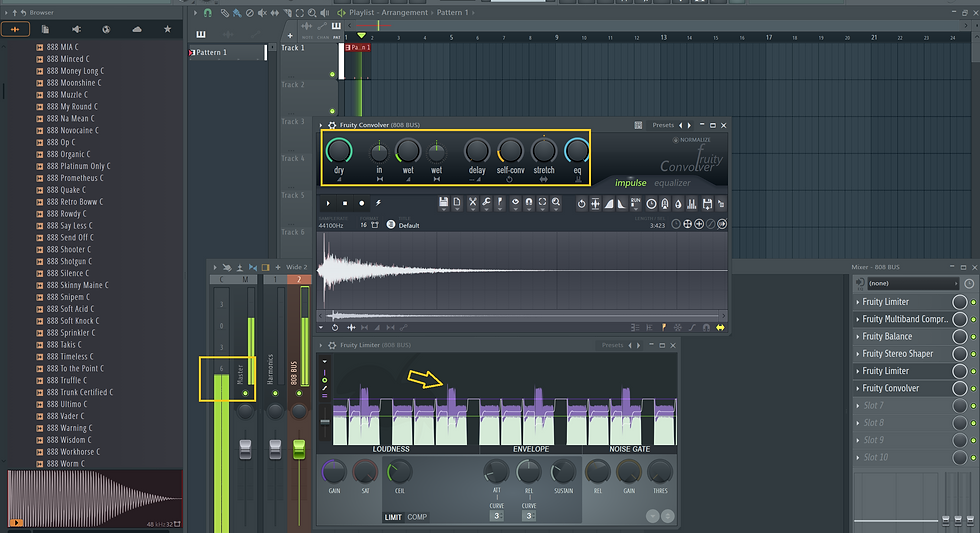
On 808 master/bus, use Fruity Limiter to catch spikes (ceiling −0.5 to −1 dB) and Fruity Convolver sparingly for body if needed. Keep headroom ~6 dB before mastering.
STEP 11 REFERENCE AND CHECK ON MULTIPLE SYSTEMS
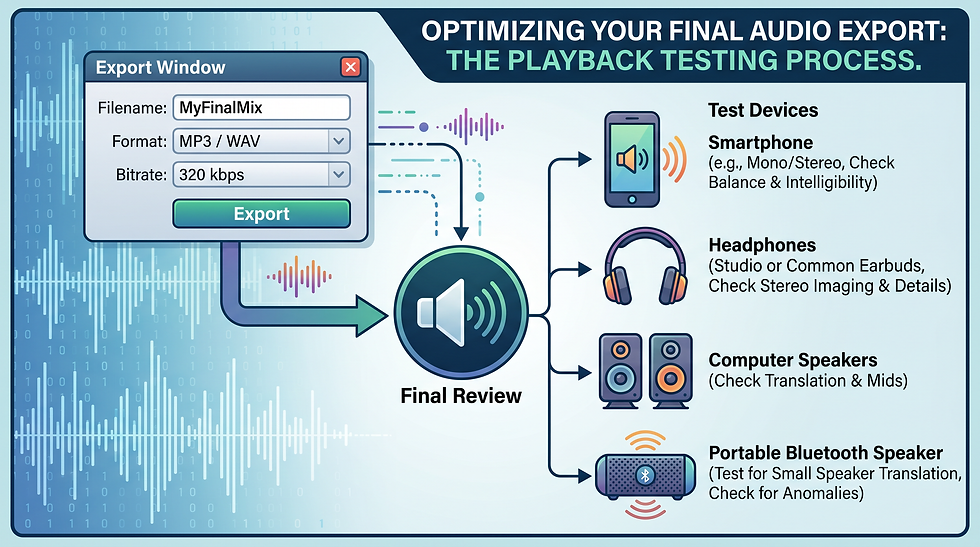
Export a loop, test on studio monitors, headphones, phone speaker, Bluetooth speaker. Compare and adjust harmonic drive and sub level.
QUICK TROUBLESHOOTING TIPS
If 808 disappears on phone: increase harmonic saturation,
tighten transient, or add a pitched layer an octave up with subtle volume.
If 808 clashes with kick: shorten one’s transient, use
sidechain: on 808 mixer track add Fruity Limiter → Comp
mode, and sidechain to kick for transient ducking.
If 808 booms on some speakers: reduce sub boost, tighten
multiband compression low band, or lower release.
Our "GET YOUR WEIGHT UP" 808 Pack does all the work for you!
Each 808 is pre‑tuned to C notes, saving time and
preventing pitch mistakes.
Pack 808s include processed harmonic layers designed to
translate to phones without needing destructive distortion.
Samples are mix‑ready: filtered tails, controlled release,
and stereo‑safe routing that aligns with the above workflow.
Licensing and source clarity reduce risk for uploads and
monetization.
Using these 808s means you start from a problem‑solved
baseline so you can finish tracks faster!

Grab the "Get Your Weight Up" 808 Pack to skip the trial‑and‑error: pre‑tuned, processed 808s made to translate — so your beats hit on phones, streams, and speakers from day one. On sale now!
Comments