Fast, Pro-Level Trap Beats: Advanced Tricks to Build Hits Faster

TRAP BEAT MASTERY
Making a trap beat is more than stacking 808s and hi-hats — it’s about building a repeatable, high-speed workflow that yields sonically modern, arrangement-ready tracks. Below are advanced, often-overlooked techniques that speed production and raise quality. These tricks pair especially well with construction/sample packs that include drum pattern loops and MIDI templates, because they let you bypass repetitive steps and focus on creativity.
1) Start with a “Master Template” MIDI Map
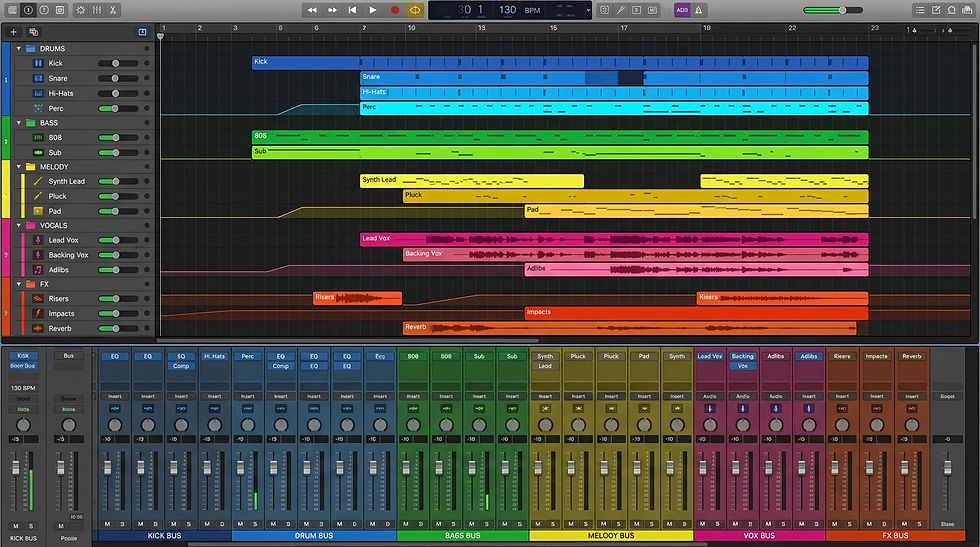
Create one DAW project that contains your go-to instruments routed to separate buses: Kick, 808/Sub,
Drums (hats/snares/claps), Melody 1, Melody 2, FX, and Vox. Save it as a template and load it every session.
Map common MIDI channels to dedicated plugins (e.g., Serum
for plucks, Kontakt for keys) and include pre-wired return effects (reverb, delay sends).
Why it speeds you up: when you drop construction pack MIDI
or loops into this template, everything is already routed, labeled, and mix-ready — immediate arrangement and sound-shaping.
2) Use Drum-Pattern Loops as Smart Skeletons — Not Final Parts
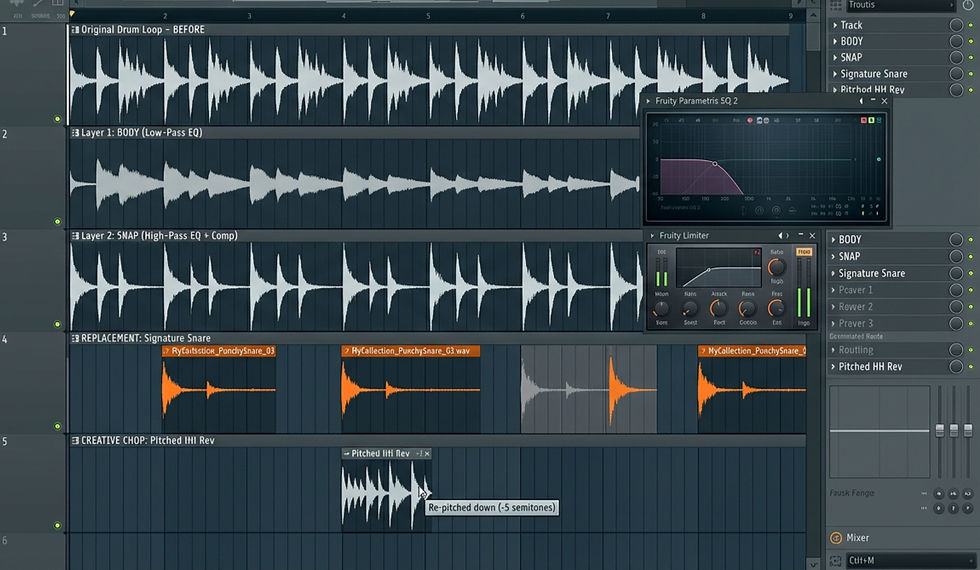
Import high-quality drum pattern loops from packs, then humanize them: chop, reverse transient slices, vary
velocities, and repitch occasional hits to avoid looped feel
Replace or layer a few key hits with your favorite one-shots to keep uniqueness while retaining the tight groove of the loop.
Pro trick: route the drum loop to a separate bus and add a
transient shaper + light saturation. Duplicate the bus, low-pass one copy and highpass the other to derive two layers
(body + snap). Blend to taste.
3) Convert Melody Samples to MIDI & Reharmonize Quickly
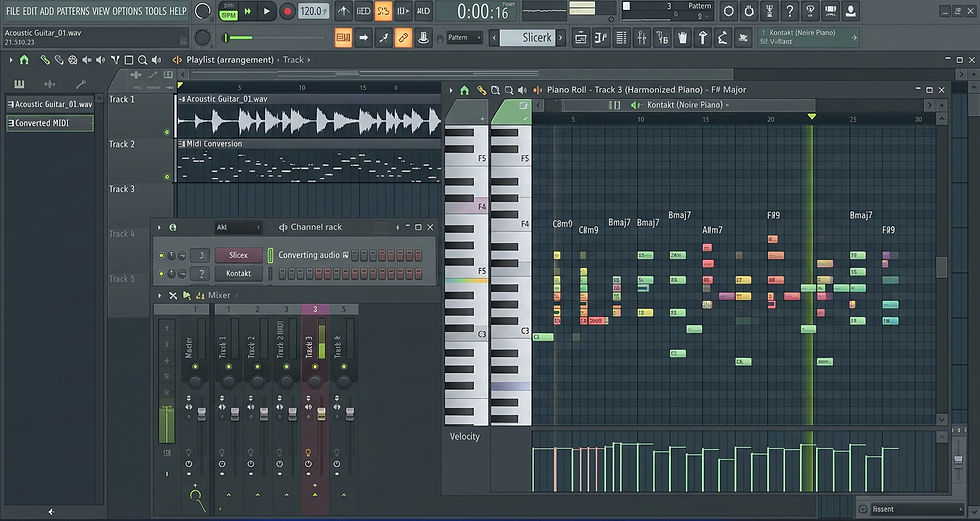
Use built-in audio-to-MIDI (or transient-to-MIDI) to extract melodies from sample loops; drop that MIDI into your melody synth to change instruments, key, and
rhythm instantly.
Reharmonize: transpose every other bar by a chord tone or
add a fifth above the phrase — trap melodies often become
more emotive with subtle modal shifts.
Pro trick: add a chord track MIDI lane with simple suspended chords under the
melody to create tension without cluttering the top line.
4) Use “Arrangement-Ready” Melody Samples as Modular Building Blocks
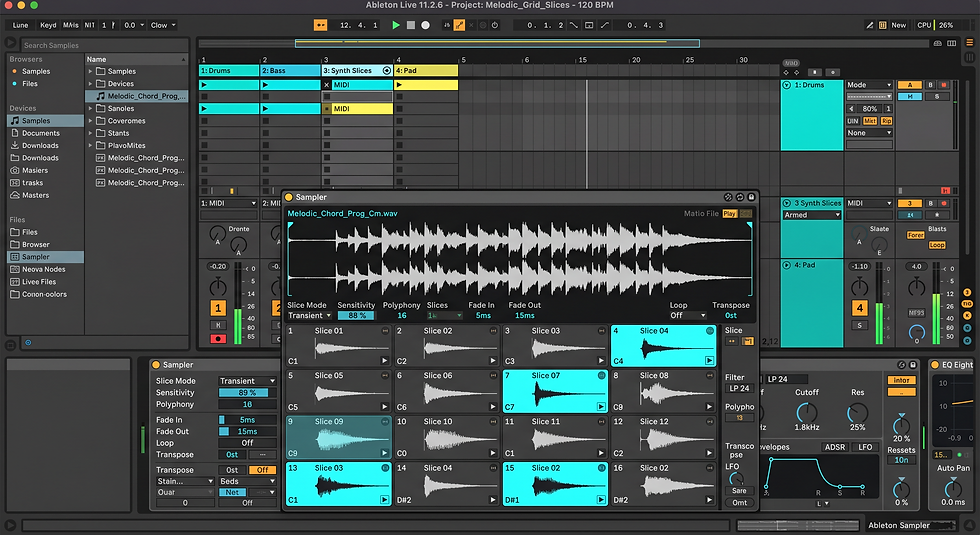
Treat melody samples from packs as loopable motifs: slice into 1-2 bar phrases and assign to pads or a sampler for quick
recombination into new sections.
Use micro-automation (filter cutoff, pitch, formant) on each slice to create variation across verses and choruses without
composing from scratch.
Pro trick: keep a “motif bank” track in your template where you load 8–12 slices for instant drag-and-drop arrangement.
5) Rapid Key/Tempo Matching with Smart Pitching
When layering samples from different packs, automatically
pitch-match to session key using resampling or a pitch-shift plugin with formant preservation to avoid artifacts.
If a melody conflicts with your 808 root, pitch-shift the sample by octave or use transient pitch shifts on non-tonal elements to preserve harmonic alignment.
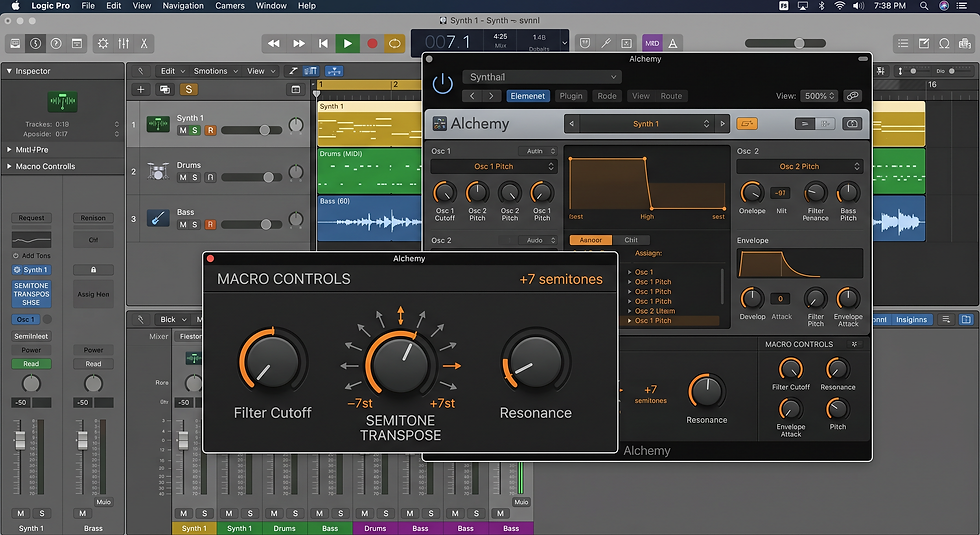
Pro trick: set up a macro that transposes incoming audio by semitone steps so you can audition 12 quick variations.
6) Turn Drum MIDI Patterns into Variation Engines
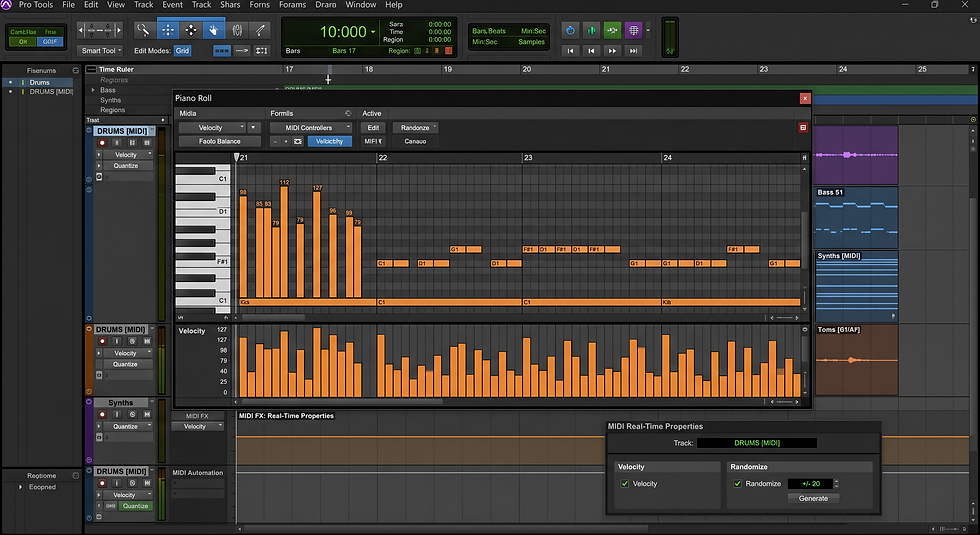
Load drum-pattern MIDI from packs, then apply MIDI FX: randomized
velocity, probability-based note drops, and micro-quantize offsets for natural groove.
Use conditional triggering (e.g., alternate clamp on every
3rd bar) to create fills and transitions without extra
programming.
Pro trick: create three pattern variations (tight, loose,
fill) and automate between them for dynamic arrangement.
7) Quick Mix Presets That Preserve Low-End
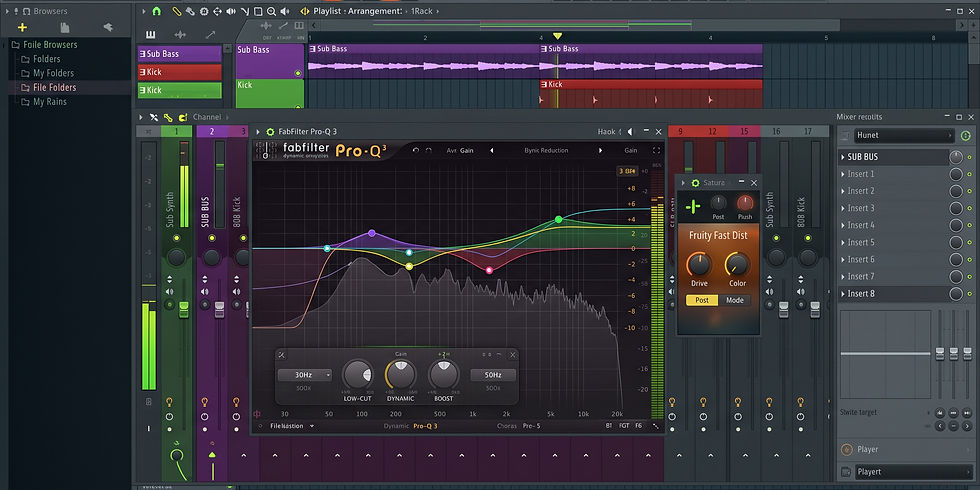
Use a dedicated Sub bus for 808s with multiband saturation
and a soft clipper; use a dynamic EQ to carve competing
frequencies from melodies only when the 808 hits.
Insert a mid/side stereo widener on highs only to keep the
low-end mono and the top-end wide on the same master template.
Pro trick: store a “trap quick-mix” preset chain (sub bus, drum bus, vocal bus) and apply
to new sessions to skip setup time.
Conclusion —
Why Construction Packs Speed You Up
Construction packs that include rhythm loops and MIDI templates are not lazy shortcuts; they’re workflow accelerants. When combined with the above techniques, they become a modular production language: drum pattern loops provide the groove skeleton, MIDI templates map your instruments and routing, and arrangement-ready melody samples let you audition full song sections in minutes. Using packs intelligently — slicing, reharmonizing, and slotting into a master template — turns a 2–3 hour demo workflow into a polished beat ready for vocals. Check out our site-wide sale going on NOW!


Comments